
ProScreening utilizes a third-party system called TermSync in order to store and sort invoices, securely store credit card and ACH payment information, and allow you to view and print payment receipts. Here is how it works:
When a new email address is added into TermSync, a new user is automatically set up and an email goes out to the user with instruction on how to log in. You will be getting notifications when new invoices go out and when invoices are outstanding. So if for some reason you miss logging in when your user is set up, you will be reminded to log in when a new invoice is in the system. Each time an invoice goes out there will be a link on the email for you to set up auto-pay. There is a link on your home screen in TermSync as well.
Credit card and ACH payments made in Termsync will automatically adjust your account balance. However, there will be a couple day delay in check payments. When we receive your checks they are processed by our accounting team and then uploaded to TermSync so that you can view them. We typically record checks the afternoon we receive them, then they are updated to Termsync the morning after. So we will be keeping Termsync as up to date as we can so that you can view your account status in real time.
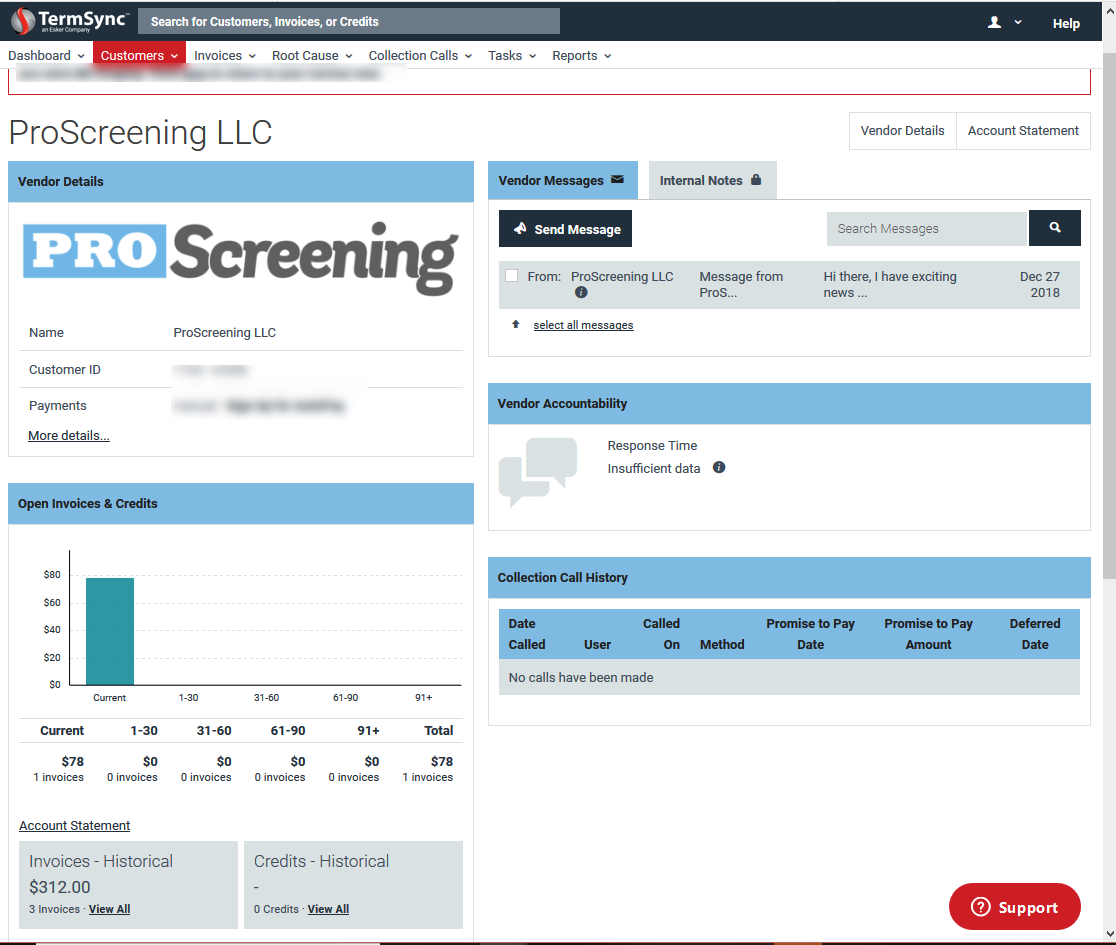
Below is a screenshot of exactly what you will see when you log in to TermSync. There is a link "Sign Up for AutoPay" on the top left. If you scroll down you can see that in this sample the client has 1 invoice outstanding and then at the bottom, you can see your historical data and even pull a statement. On the right side, you can send a message directly to our Accounts Receivable team and we will respond to you as quickly as possible.
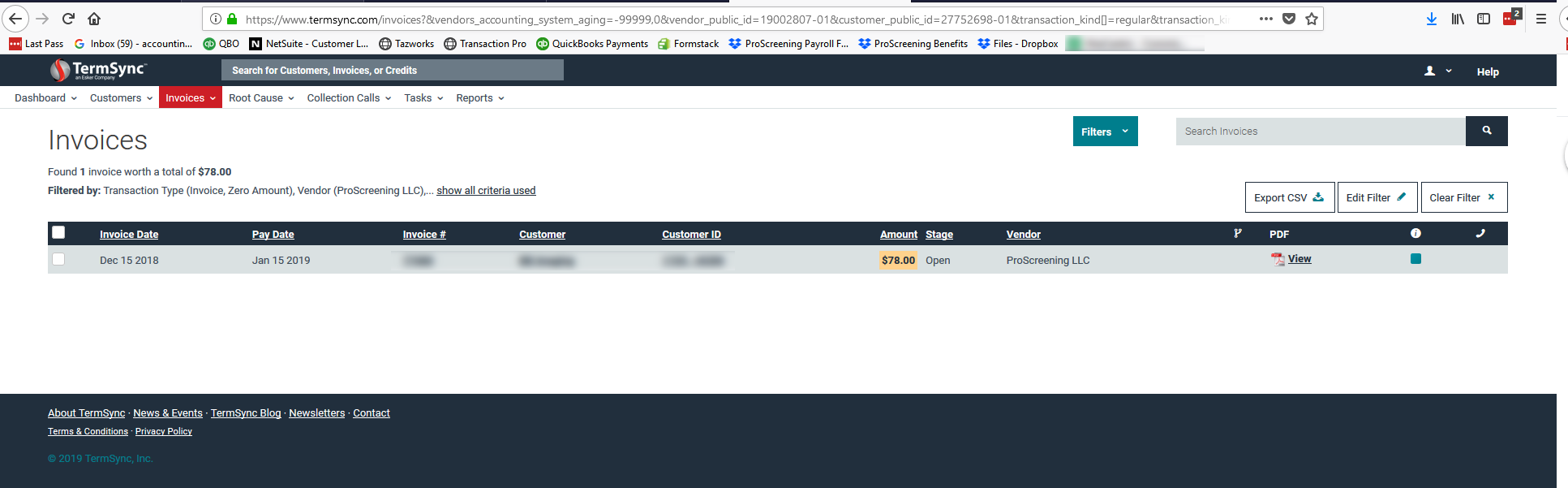
Under Open Invoices & Credits, you can click and see all of your outstanding invoices. Below is the screen that pops up that lists your outstanding invoices. You can even view the pdf!
This bottom part allows you to pull your own account statement and look at old invoices.
You can log in to your term sync account as long as you are listed as a billing contact for your account by using the link below:
If you have any questions or ever need any help you can always reach out to our customer service team for assistance.
Comments
Please sign in to leave a comment.