
This feature is only available if you’ve requested the ability to add products to your background check package(s).
To add a product to an order, simply click on the ‘Select Product’ drop down menu.
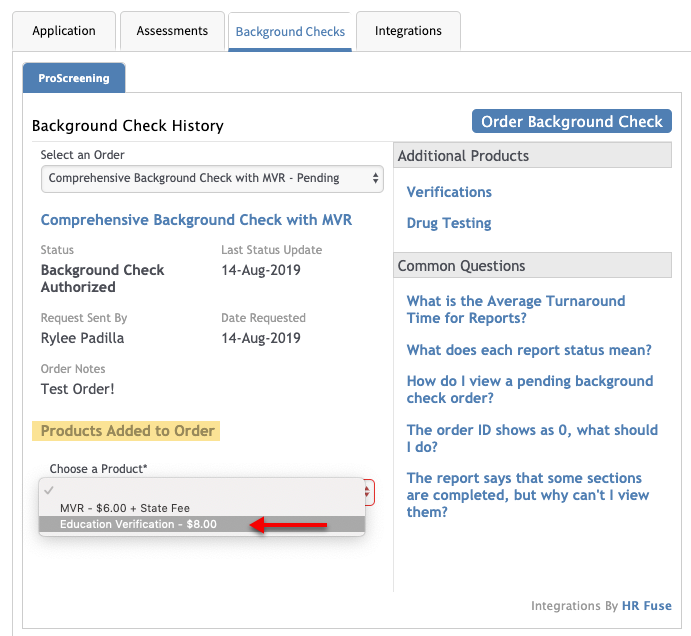
Note: If the original background check request was made more than 30 days ago, you will need to request a new background check report. Per FCRA requirements, ALL information in a consumer report or investigative consumer report must be current - 30 days.
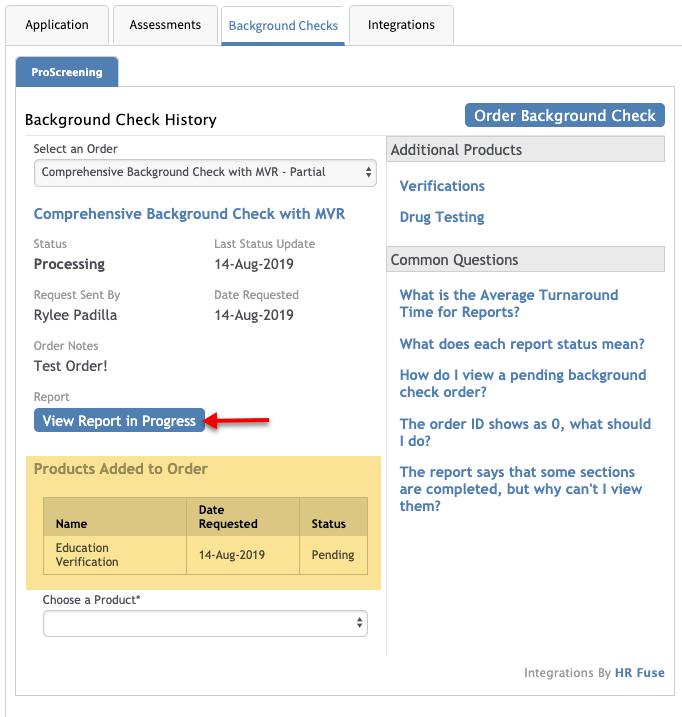
After selecting the appropriate product, click ‘Submit Order.’ Repeat this process to add additional products if necessary. This will add the additional products to the initial report.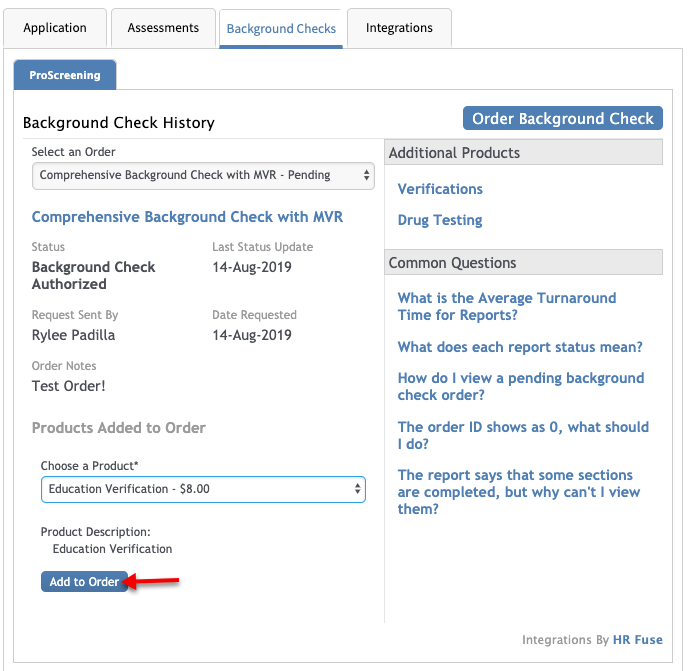
The report will be stamped with add-on requester along with the date the add-on was requested.
Comments
Please sign in to leave a comment.